Firebase Remote Config를 이용해 버전별로 dev와 prod 환경 값을 관리하고, 앱 심사 중에는 dev 환경, 이후에는 prod 환경을 적용하는 방법을 사용하게 됨
1. Firebase 프로젝트 설정
이미 FCM을 사용하고 있기 때문에 파이어베이스 콘솔에서 앱을 등록이 되어있습니다!
2. Firebase 프로젝트에 Remote Config를 추가
파이어베이스 콘솔에서 좌측 메뉴에서 Remote Config를 찾아 눌러줍니다.
그리고 매개변수 만들기를 클릭

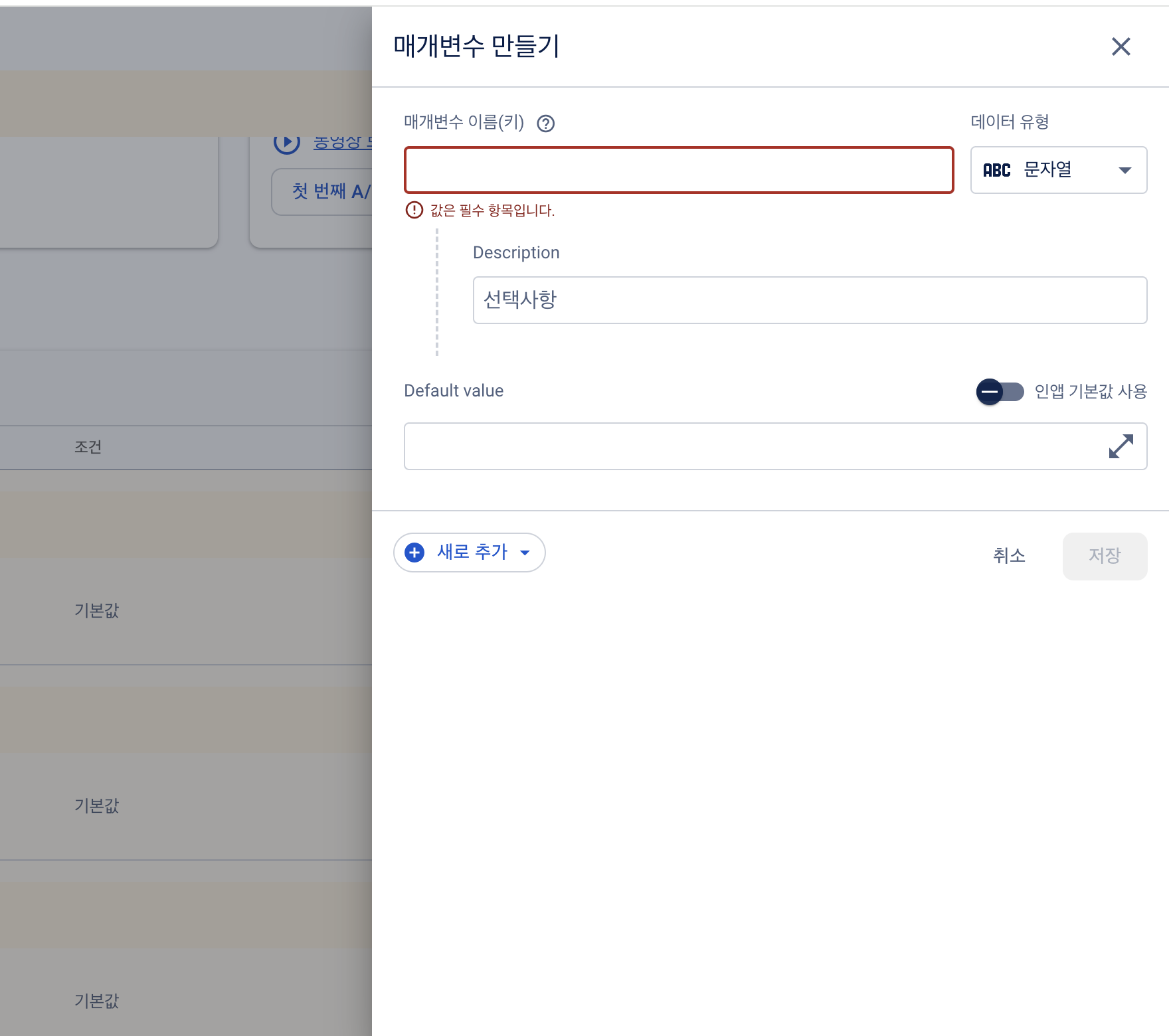
저는 앱 심사 중에는 dev 환경을 사용하고, 심사가 끝나면 prod 환경으로 전환하는 행위를 수동으로 해야할 것 같아서 Bool 타입을 만들었습니다.
- 이름: (원하는 이름으로 지정)
- 값:
- false: 개발 환경 (dev)
- true: 프로덕션 환경 (prod)
- Default value: 심사 중일 때 기본값으로 사용할 값을 설정. (예: false로 두면 기본 개발 환경을 사용)
꼭 변경 사항 게시 눌러주세요!!!
3. iOS 프로젝트에 Firebase Remote Config 연결
우선 Firebase SDK 추가하셔야 합니다.
pod 'Firebase/RemoteConfig'
Firebase 초기화가 필요합니다. AppDelegate에 추가해주세요!
class AppDelegate: UIResponder, UIApplicationDelegate {

    func application(_ application: UIApplication, didFinishLaunchingWithOptions launchOptions: [UIApplication.LaunchOptionsKey: Any]?) -> Bool {
        FirebaseApp.configure()
        return true
    }
}
4. Remote Config 값을 앱에서 사용하기
이제 앱에서 Remote Config 값을 불러와서 사용할 수 있습니다!!!
import Firebase

class RemoteConfigManager {
    static let shared = RemoteConfigManager()

    private init() {}

    func fetchRemoteConfig(completion: @escaping () -> Void) {
        let remoteConfig = RemoteConfig.remoteConfig()
        let settings = RemoteConfigSettings()
        settings.minimumFetchInterval = 60 // 1시간 간격으로 fetch
        remoteConfig.configSettings = settings

        remoteConfig.fetch { status, error in
            if status == .success {
                remoteConfig.activate { _, _ in
                    // Fetch가 성공한 경우
                    self.updateBaseURL()
                    completion()
                }
            } else {
                print("Failed to fetch remote config: \(String(describing: error))")
                completion()
            }
        }
    }

    private func updateBaseURL() {
        let remoteConfig = RemoteConfig.remoteConfig()
        let isProd = remoteConfig.configValue(forKey: "isProduction").boolValue
        if isProd {
            URLConstant.baseURL = remoteConfig.configValue(forKey: "api_base_url_prod").stringValue ?? URLConstant.baseURL
        } else {
            URLConstant.baseURL = remoteConfig.configValue(forKey: "api_base_url_dev").stringValue ?? URLConstant.baseURL
        }
        print("Updated baseURL to: \(URLConstant.baseURL)")
    }
}
제가 필요한 기능은 테스트 이후 출시때는 상용서버로 전환해야했기 때문에 baseURL을 업데이트해야했습니다.
따라서 해당 RemoteConfigManger클래스를 통해 baseURL을 업데이트 하는 로직을 추가하였습니다.
AppDelegate에서 Remote Config 적용하여 앱이 실행될 때, RemoteConfigManager에서 값을 가져와서 isProduction 값을 확인하고, 해당 값을 기반으로 환경을 설정하였습니다!
'💻 개발 > iOS' 카테고리의 다른 글
| Apple Developer 에서 법인 개발자 계정으로 등록하기. (0) | 2026.02.03 |
|---|---|
| [iOS] UserDefaults (0) | 2023.03.23 |
| [iOS] 스토리보드 개념 및 용어정리 (0) | 2022.09.24 |
| [iOS] info.plist / AppProject 속성 (1) | 2022.09.24 |


